
Android will not install the APK
Allow install unknown apps for the browser you used. Open the downloaded file from the notification, not from a screenshot. If the file is incomplete, delete it and tap Download APK again.
This is the install page for the official 918Kiss app in Malaysia. 918Kiss Program provides the latest Android APK, iOS package and Windows client, then walks you through the steps so the app actually opens.
The official app is not on Google Play or the App Store. Download from the buttons below, follow the section for your device, then log in with the ID from dv188malaysia.com. For this APK update, see What's New.
Android · iOS · Windows · Latest update · If something blocks the install
Install the latest 918Kiss APK on your Android phone. Use the phone's own browser so the file lands on the device you will play on. Chrome is common in Malaysia; other browsers work if they can save an APK.
On the phone, open this link and tap Android. That is the current official APK we provide.
Allow the download. If Chrome or your browser blocks the APK, open the download notification and permit it. Keep enough storage free so the file can finish.
When Android asks for permission to install unknown apps, enable it for that browser only. You can turn it off again after setup.
Open the APK, tap Install, wait until it completes, then launch 918Kiss from the home screen or app drawer.
Log in with the ID from dv188malaysia.com. The same account also works on iOS and Windows if you install those later.
Use Safari. Other browsers on iPhone often cannot complete an enterprise install. Open this link, tap iOS, then trust the profile in Settings. Newer iPhones may show VPN & Device Management instead of Device Management.
The screenshots below follow the official 918Kiss iOS flow. Tap through in order. After Trust is confirmed, return to the home screen and open the app.
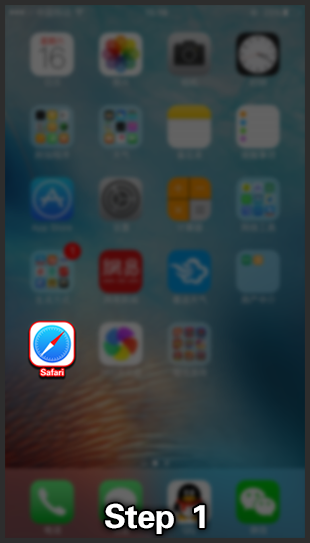
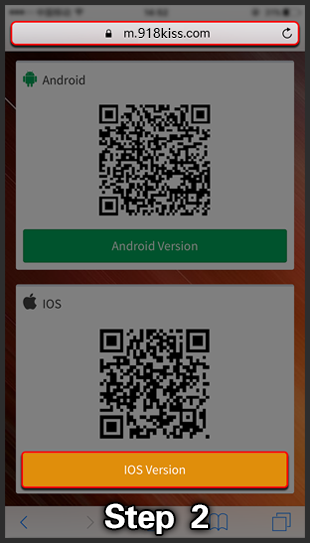
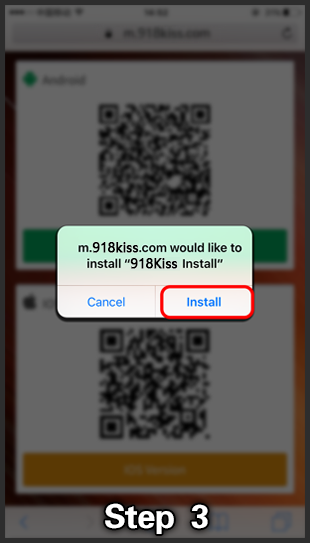
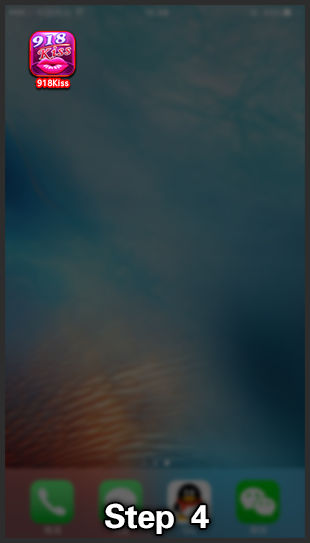
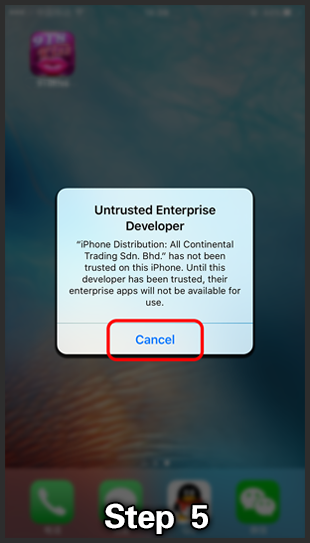
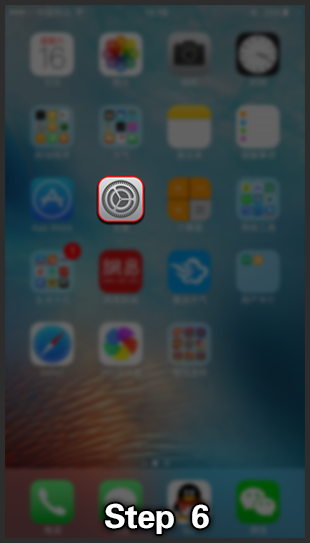
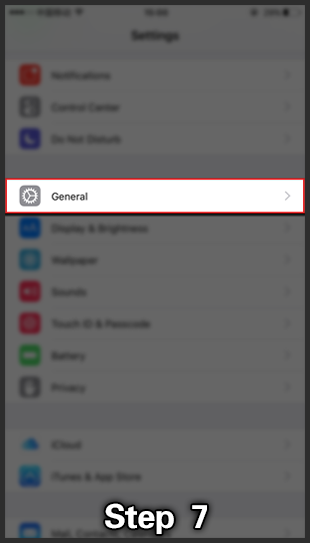
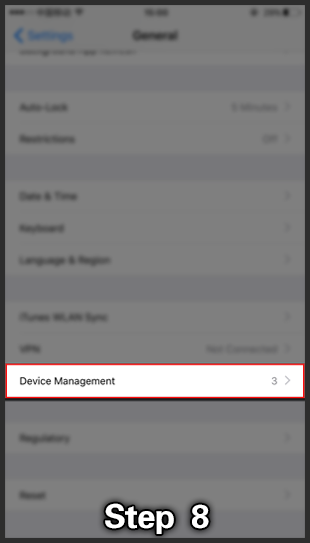
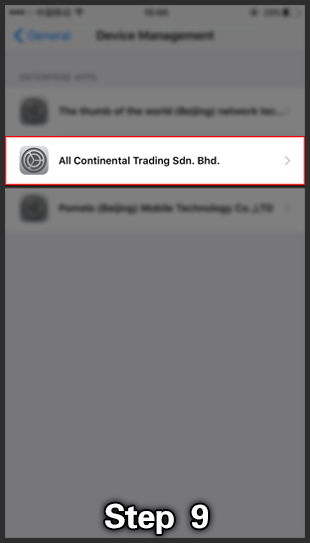
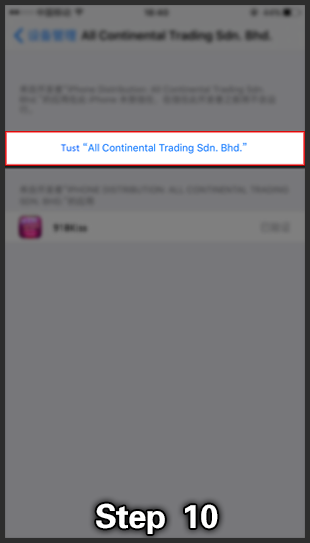
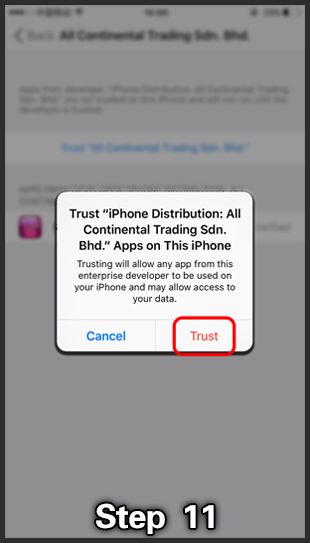
Log in with the ID from dv188malaysia.com. If the app icon is there but will not open, go back to Settings and confirm Trust is on for the 918Kiss profile.
Play 918Kiss on a Windows PC with the same Malaysia account you use on the phone. The desktop client gives a larger lobby and mouse control. Download the latest package from our page, then log in.
On the PC, open this link and choose Windows.
Save the file. If it arrives as a ZIP archive, extract it to a folder you control. Do not run the client from inside the archive window.
If Windows SmartScreen asks about an unrecognized app, use More info and Run anyway only if you downloaded from the 918Kiss Program button on this site.
Open the 918Kiss application.
Log in with the ID from dv188malaysia.com.
918Kiss Program always serves the current installer. Version numbers change on the download page, so we do not pin an old APK here. When the lobby or login needs a newer build, uninstall 918Kiss, then download again from the same buttons at the top of this page.
This APK update is on What's New.
Most failed installs are permission, browser, or old-file problems. Work through the matching note before you download a second time.
Allow install unknown apps for the browser you used. Open the downloaded file from the notification, not from a screenshot. If the file is incomplete, delete it and tap Download APK again.
Use Safari. After Install, tap Cancel on the untrusted-developer alert, then Trust the profile in Settings → General → Device Management (or VPN & Device Management).
Extract the ZIP fully. Run the 918Kiss application from the extracted folder. If SmartScreen appears after a download from this site, use More info, then Run anyway.
Register or recover the ID at dv188malaysia.com. Type the username and password in the app. If the client is old, uninstall and download the latest file.
Malaysia accounts are issued at dv188malaysia.com. After you have a username and password, enter them in 918Kiss. Ask there for HTML5 or a demo ID if you need browser play or a test first. This site does not collect those details.